
The app
You don't know us yet.
Don't take our word for it: look.
The worker isn't your employee. It's normal to have questions. The answers are on your phone, in our app.
For companies
You can check everything
-
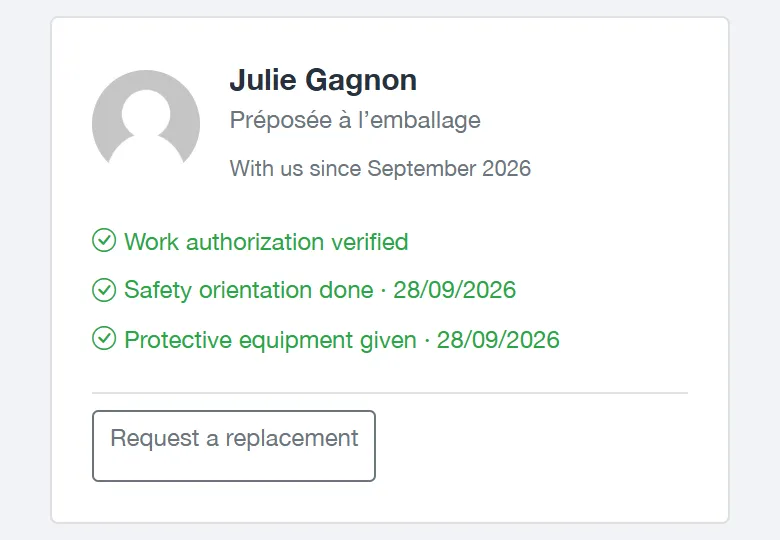
Are their papers in order?
We check their work authorization. You see it on their file.
-
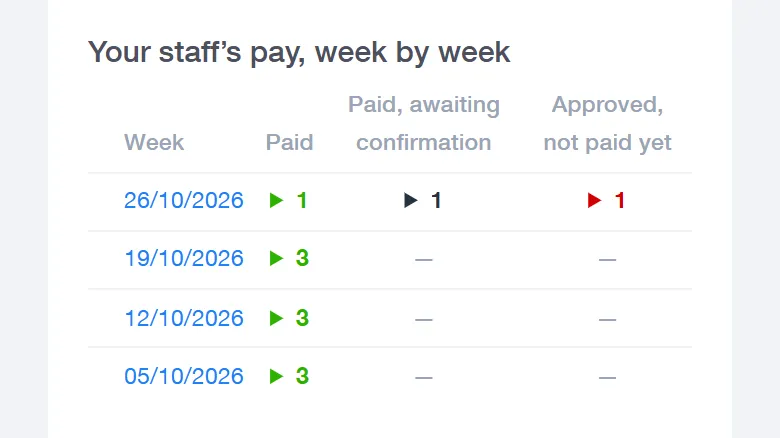
Are they paid?
Every week, you see who received their pay. The worker is the one who confirms it.
-
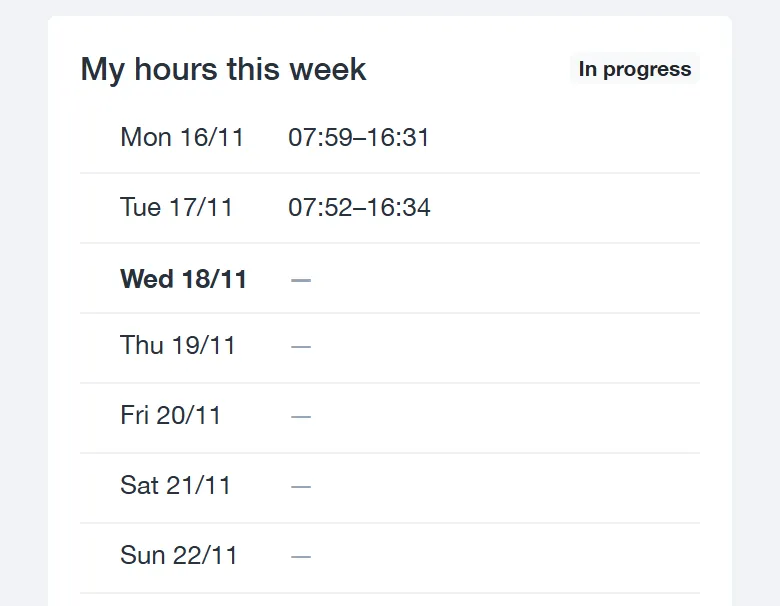
Are hours being taken from them?
They see their hours on their phone: the same as you. A mistake? They tell us.
Are they paid fairly?
They earn the same wage as your employees who do the same work. It's the law. That's why we ask you for that wage before we start.
Fewer calls, less paperwork
Not working out? Need more people? A day to cancel? You ask on your phone. We take care of the rest.
-
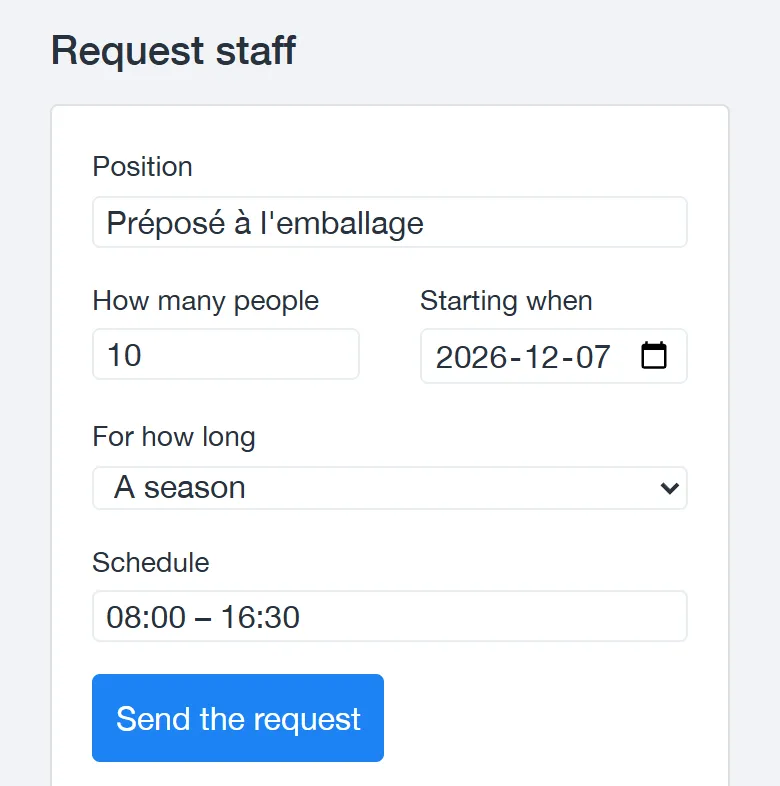
Need more workers? Ask in the portal.
The job, how many people, the dates and the schedule: one minute is enough. We call you to confirm, and you can see where your request stands.
-
First-day safety, confirmed
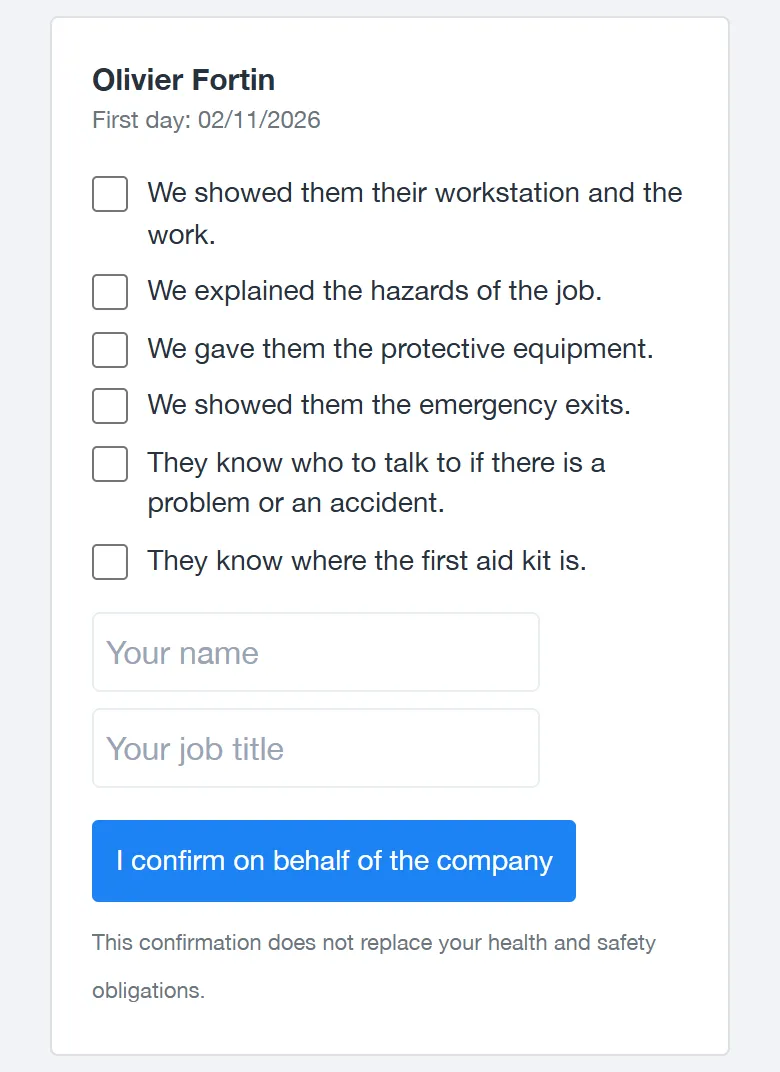
On the first day, you show the worker the job, the hazards and the equipment. Then you confirm it in your portal, in a few seconds.
A worker isn't a good fit? Say so in the portal.
In weeks 1, 4 and 12, the portal asks you how it's going. And a button to request a replacement is always there. We arrange the replacement with you.
Cancel a day in two clicks
Less work tomorrow? Cancel the day, up to two weeks ahead. The worker is told right away.
Your invoices and contracts in one place
Your invoices (number, date, due date) and your contracts, to read and sign online. And your reports to download in Excel.
And control, if you want it
You already have your own controls. Keep them. If you like, you can see ours too.
-
Your workers at a glance
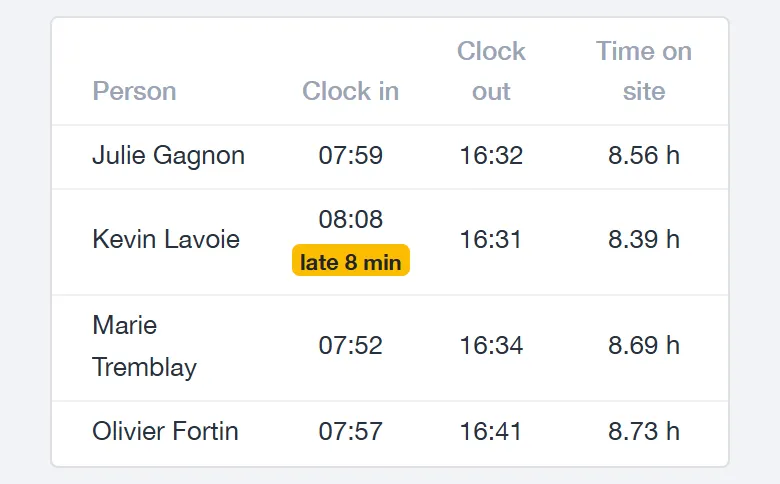
Who arrived, at what time, who is late.
-
On a map
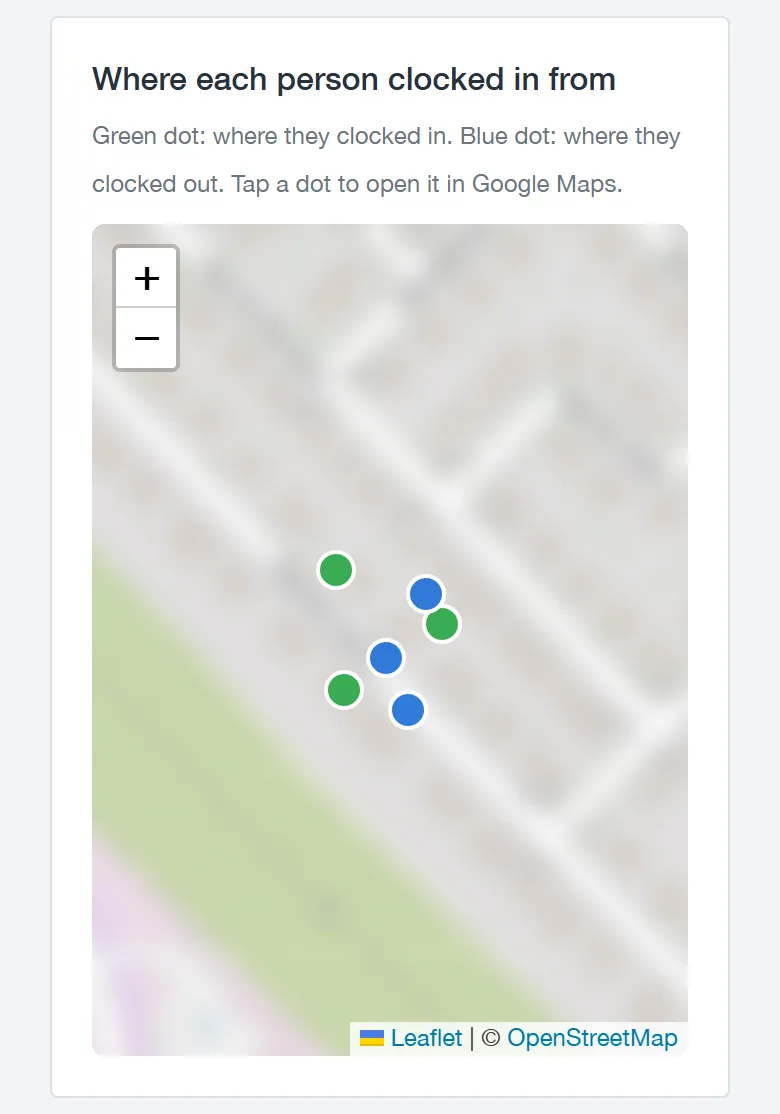
Where each person clocked in.
-
You approve the week
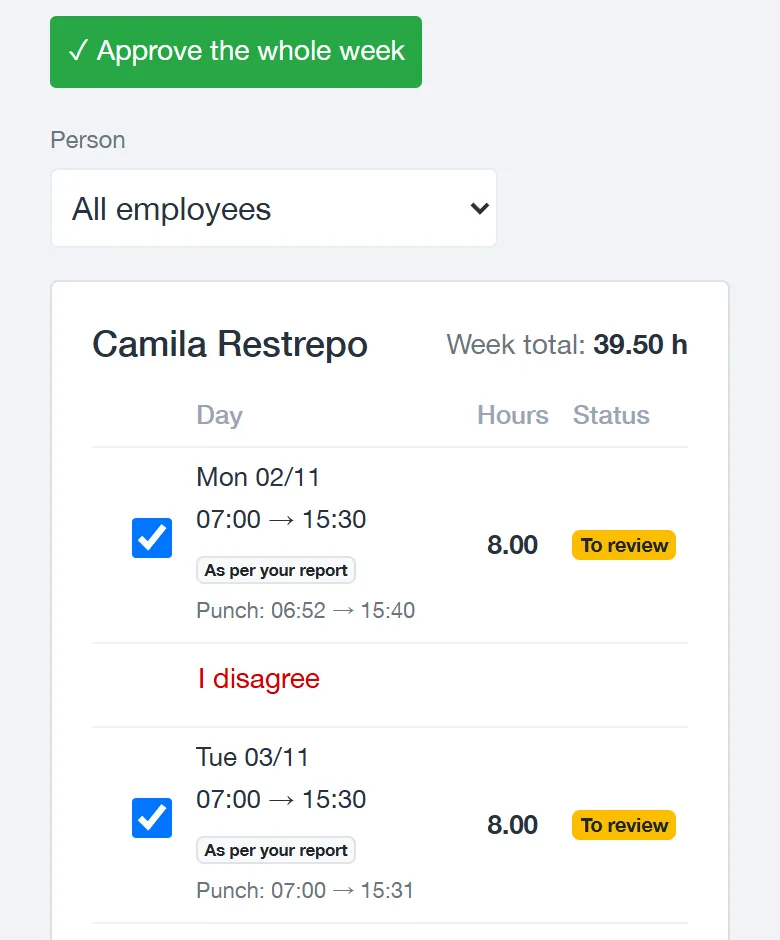
Every week, you approve the hours, or you flag a day that isn't right. Nothing is invoiced before that.
An hour isn't right? You click “I disagree” and tell us why.
-
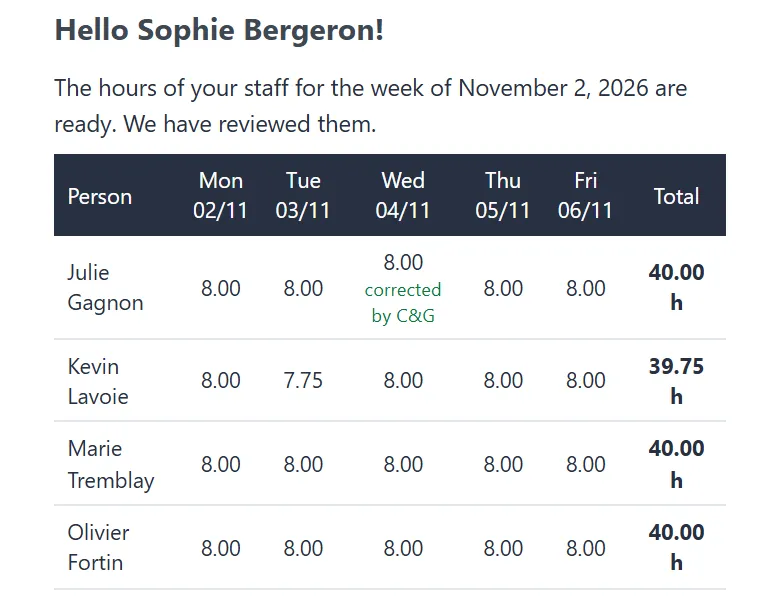
Your hours, right in your email
Each week, you get your staff's hours in an email. You can see right away if they are correct. Then a button takes you to the portal to approve them.
Attendance and punctuality
Each person's late arrivals and absences. For absences, you see the day, never the reason.
You send your own timesheet? We compare it with the clock-in times.
Your hours are the ones that count. Next to them, you see when each person clocked in and out. A gap of more than 15 minutes stands out right away.
How the hours become an invoice
- 01
The worker arrives
They record their arrival and departure time, on site.
- 02
We check
Every week, we compare these hours with yours.
- 03
You say yes
You approve the week. Or you flag a day that isn't right.
- 04
The invoice
It arrives by email. It also stays in your account.
You only pay for hours actually worked. And you can check everything, line by line.
A worker who sees their hours trusts you. And they stay longer.
For workers
-
You clock in with your phone
Arrival and departure, with your phone, right when they happen. The C&G icon is added to your screen, like an app.
-
You see your hours
Day by day: arrival, departure, break, paid hours. And an estimate of your pay, before taxes and deductions. In French, English or Spanish.
-
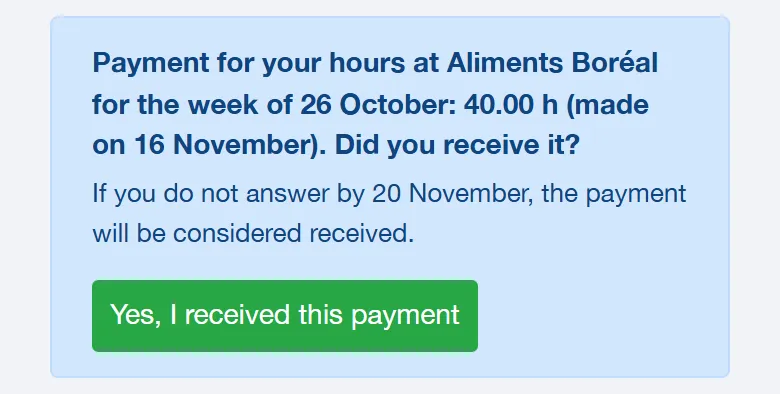
You confirm your pay
When we pay you, the app asks if you received it. You are the one who confirms.
Your schedule
Your schedule for the next seven days. If a company cancels your day, it shows there.
A mistake? Tell us.
A wrong time or a forgotten day? You ask for the correction in the app, within 48 hours. We check it.
Absences and safety
Need time off? You ask in the app. And on your first day at a company, you confirm what you were shown about safety.
Your location, when you clock in
It is recorded only when you arrive and when you leave. To clock in, you must accept this. No tracking during work. It is deleted after twelve months.
Is it going well? Tell us.
The app asks you from time to time. Only C&G sees your answer. If there is a problem, we call you.
Refer a friend: $350.
Do you work with us? Share your link from the app. When your friend has worked 120 hours, you get $350 on your pay (before taxes).
Conditions: you still work with us at that time, and the 120 hours are approved within 6 months of the person's first day.
Not free all week? Choose your days.
A Tuesday, a Thursday, a few mornings: tell us which ones. When a company needs someone on those days, we call you.
A 15-minute call is enough to know if we can help you.
Tell us what you need: the jobs, the shifts, the date. If we can't do it, we tell you right away.